Your local agent workspace.

Less juggling. More building.

Schedule your agents. Review their work. Keep the decisions yours.

Free for one project. Pro is $89, once — no subscription and no server to fund.

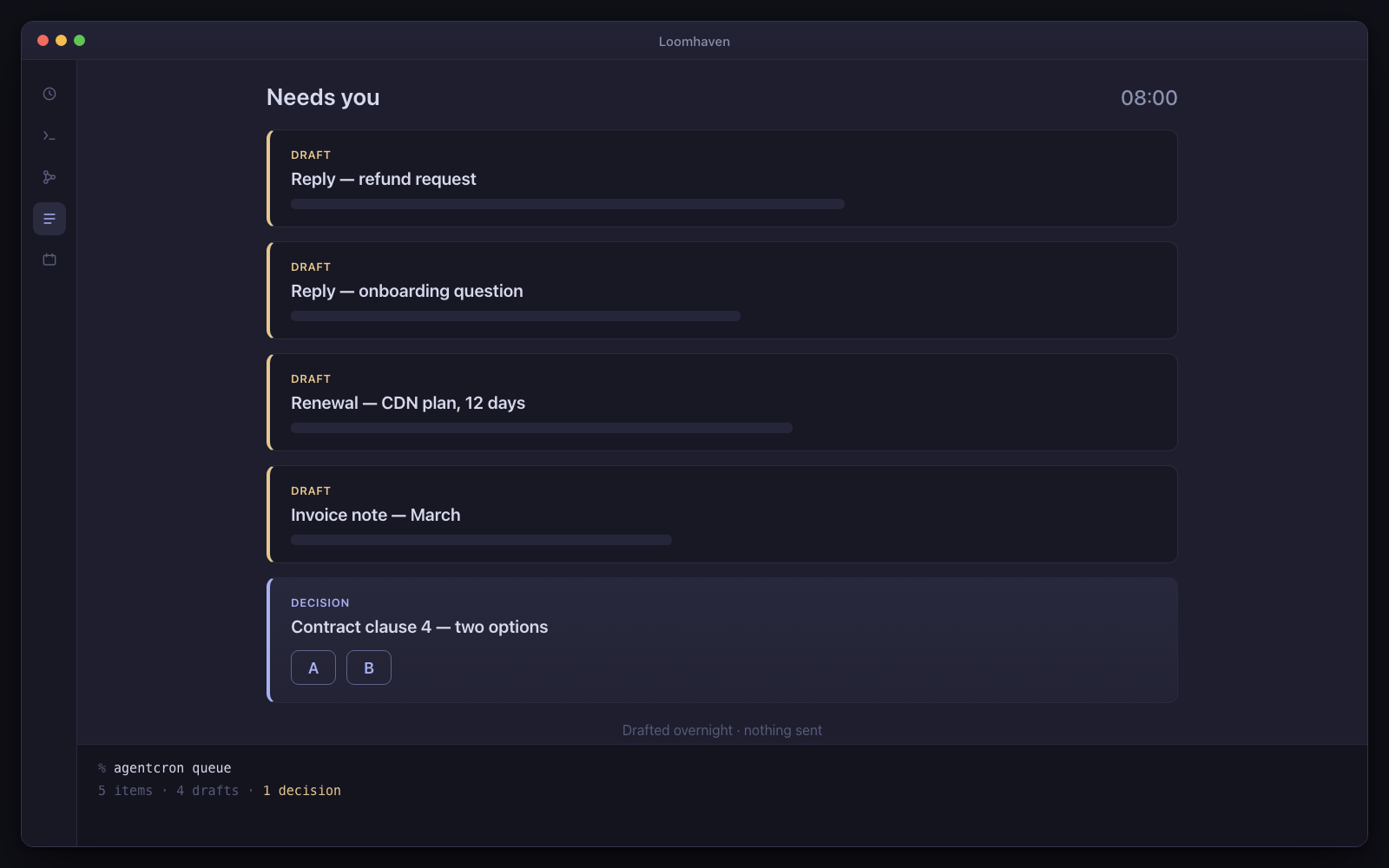
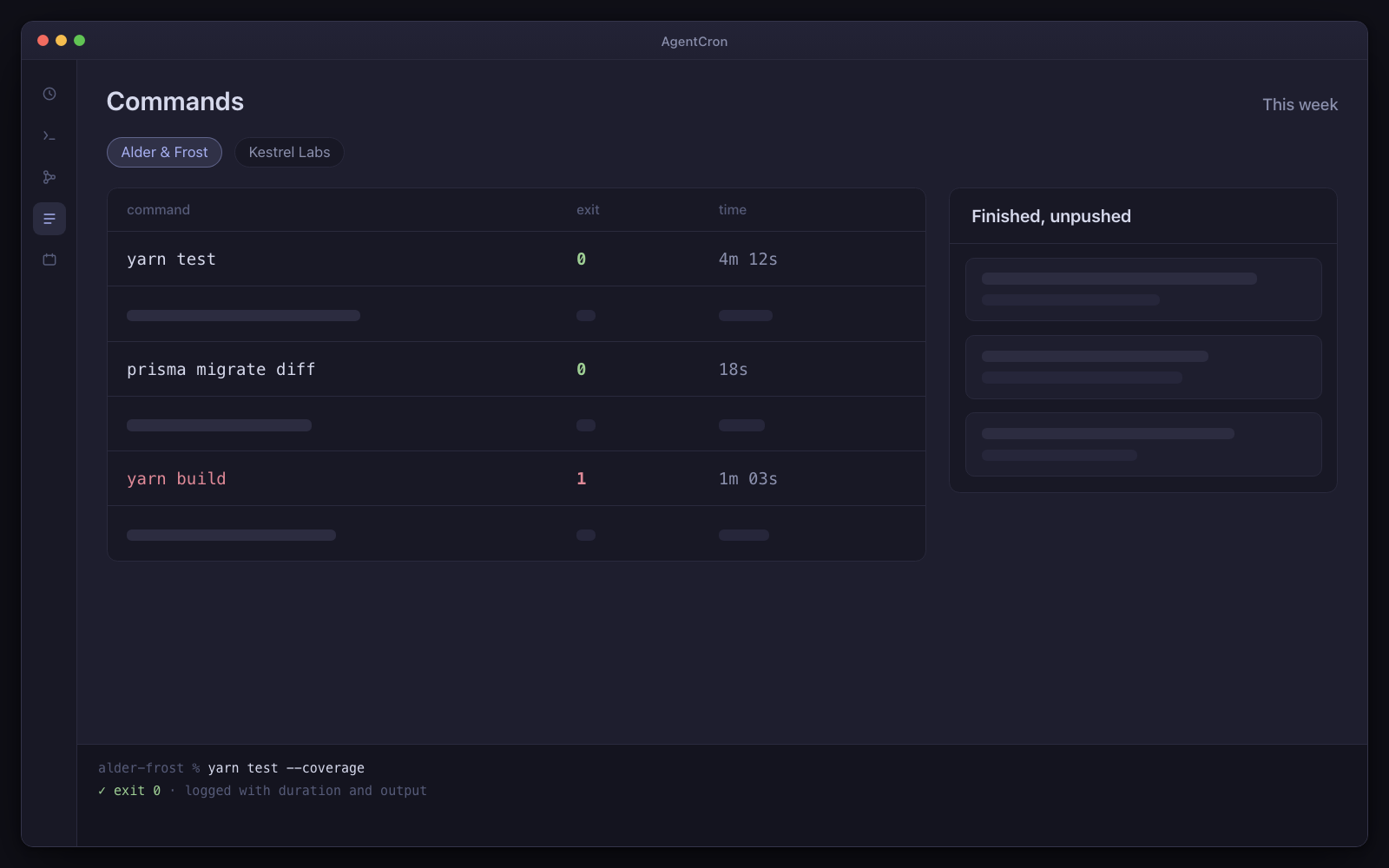
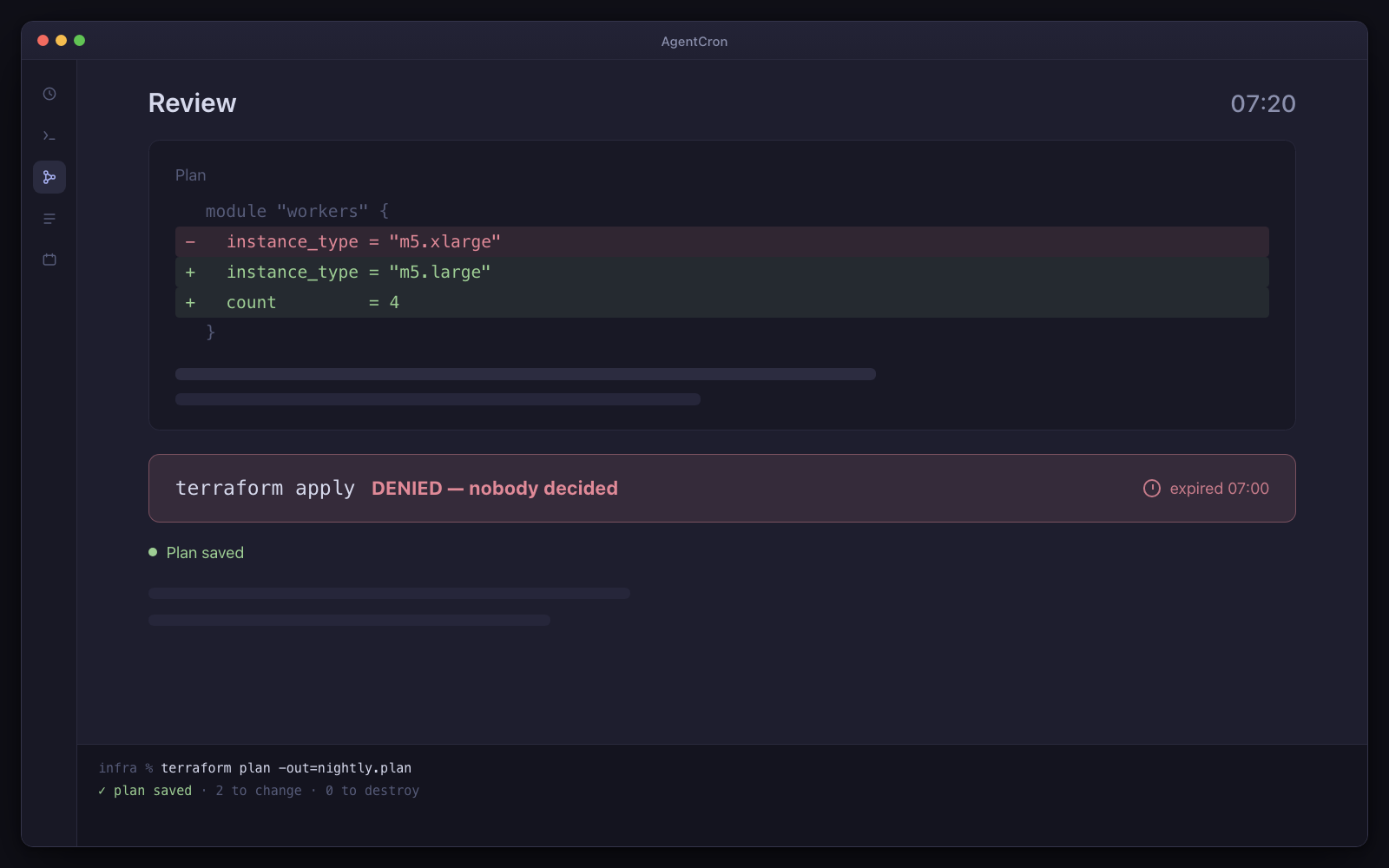
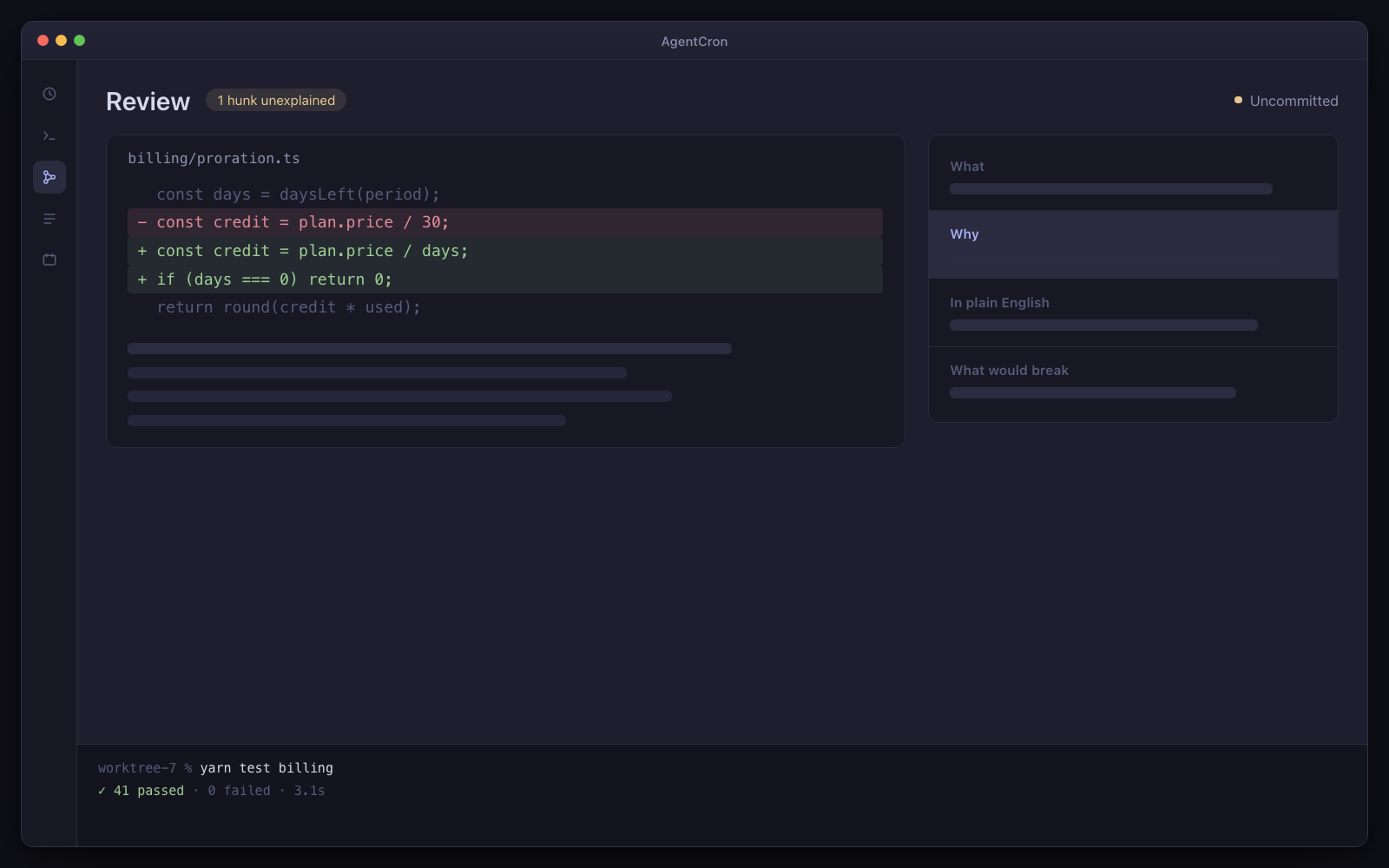
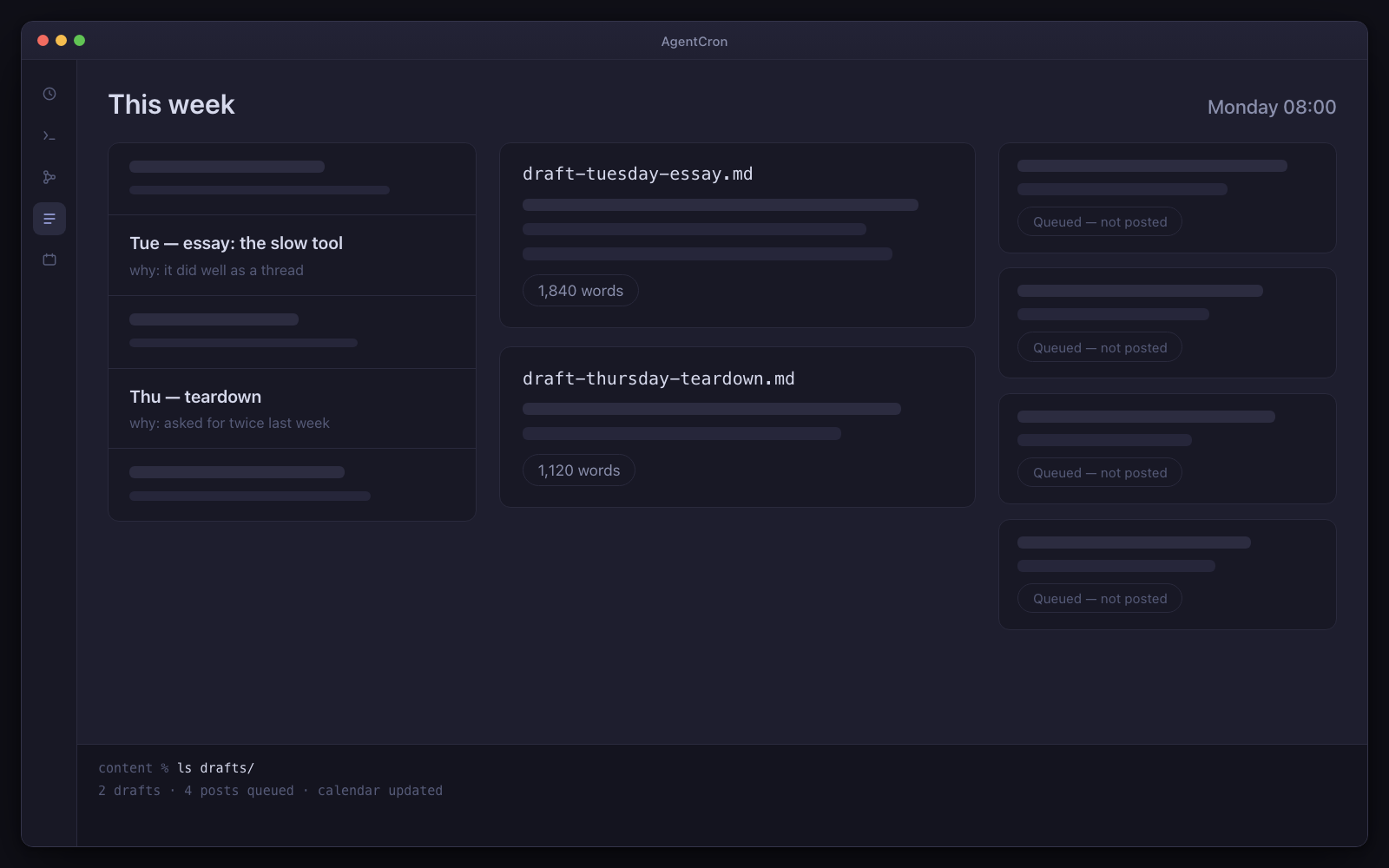
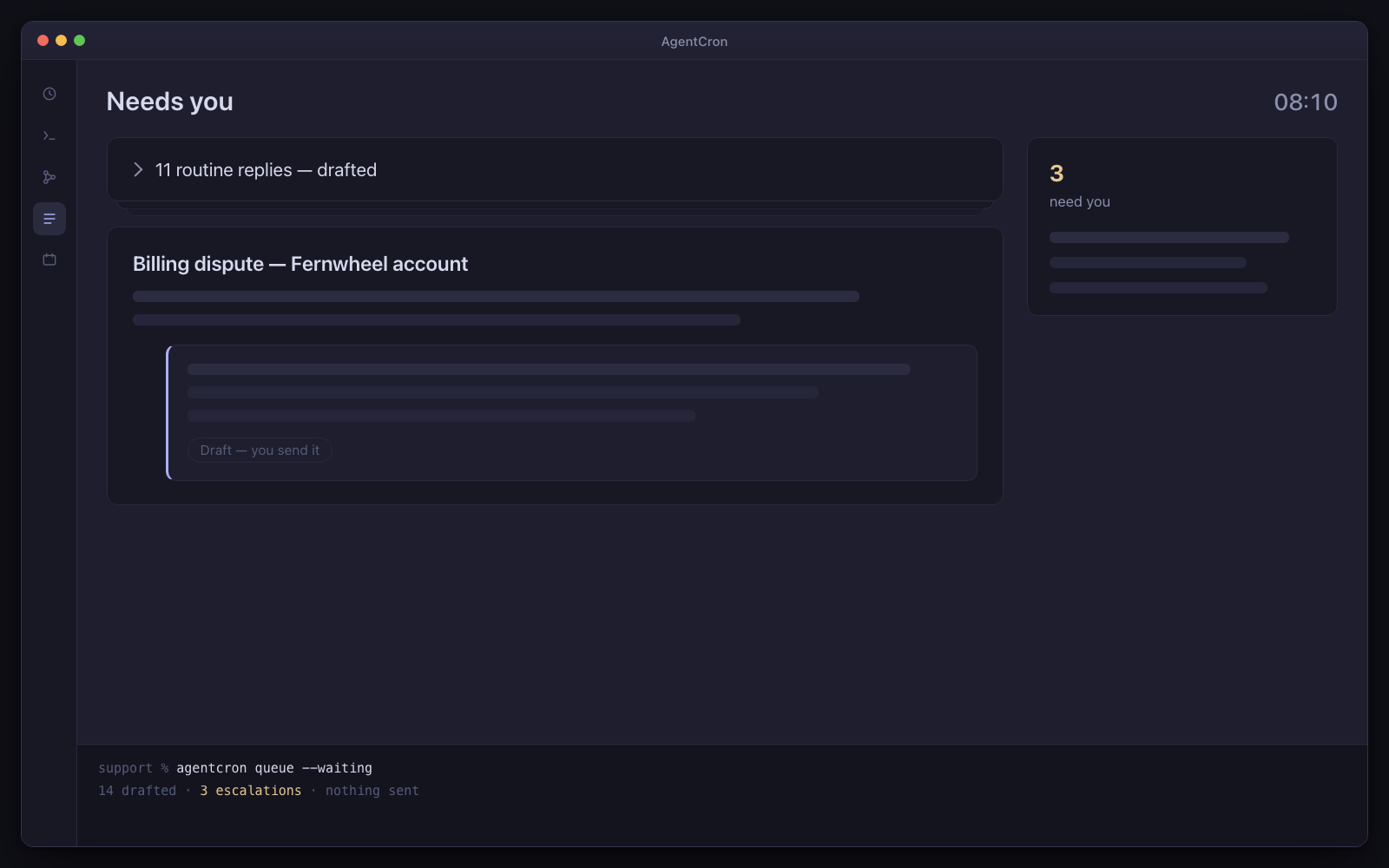
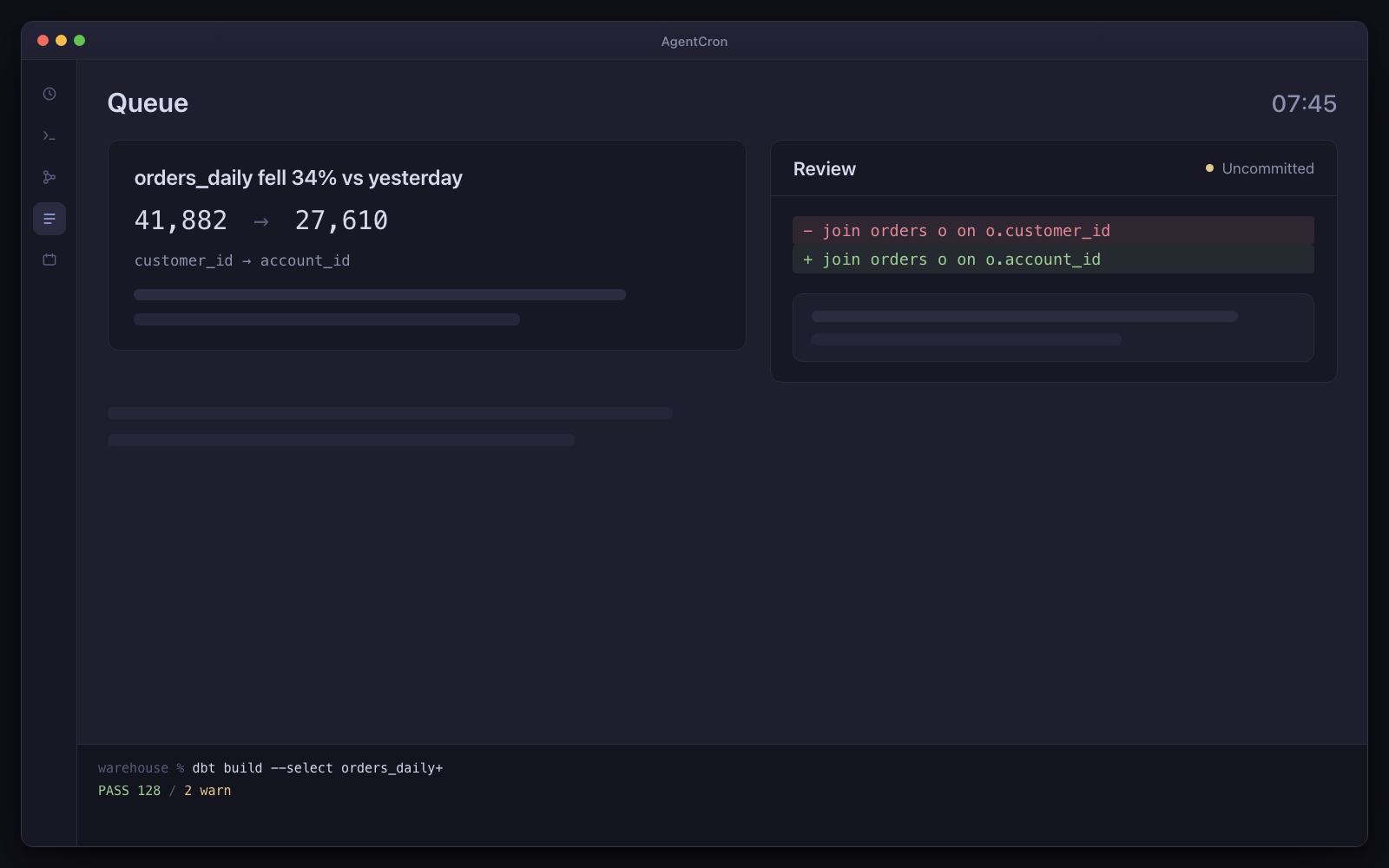
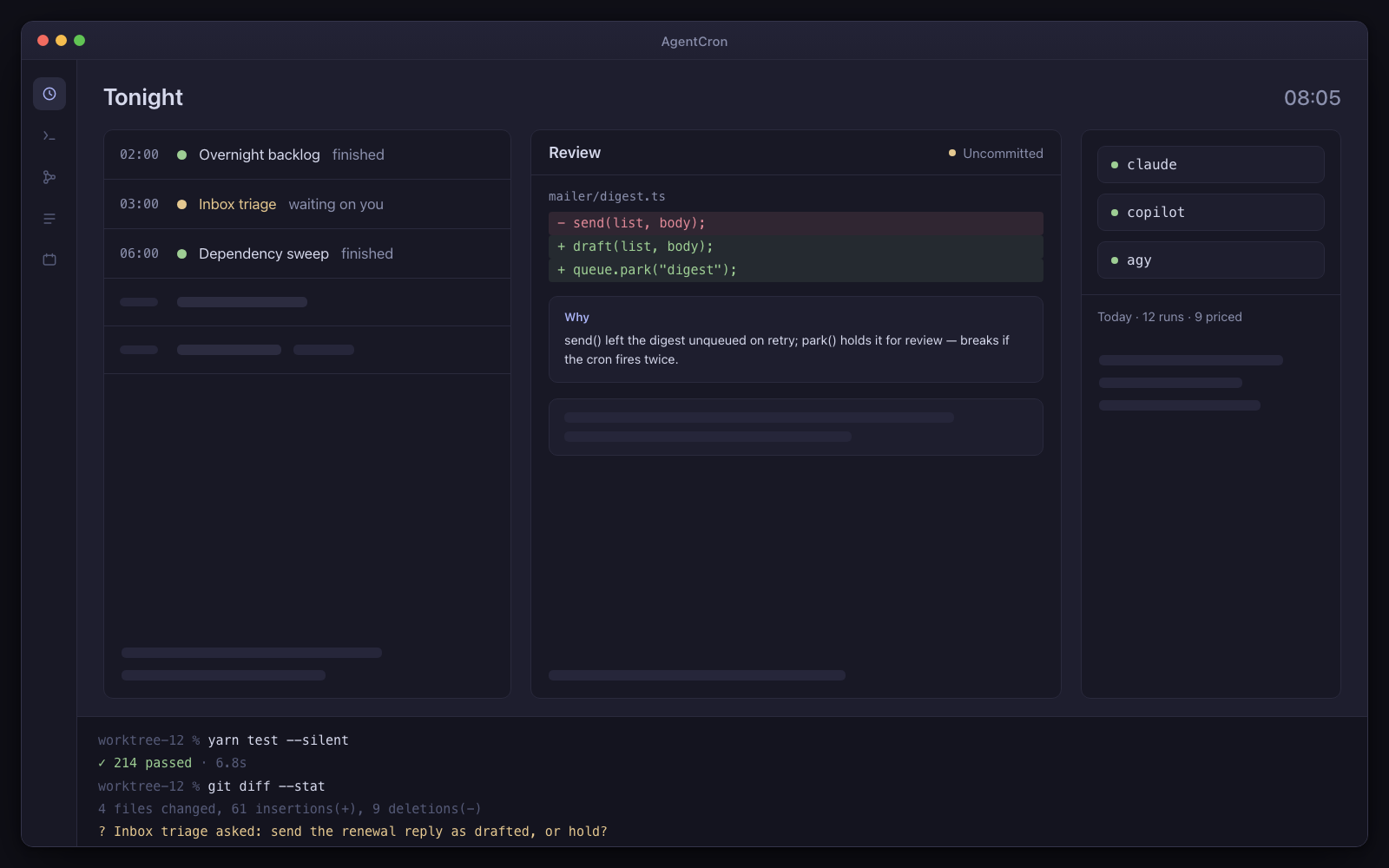
The AgentCron window: a schedule of five agents — two finished, one waiting on you — a review panel holding an uncommitted diff with its explanation card, pills for the three CLIs with a cost line under them, and a live terminal session along the bottom.
Illustration Your morning control room: scheduled runs, an uncommitted diff, and a question waiting for your decision.
  • You bring the CLIUse the agent subscription you already have. No AgentCron API key, account or token meter.
  • Human review is the destinationRuns return work and records for you to inspect. Where a workflow uses AgentCron's approval command, denial, timeout or an unreachable app all fail closed.
  • Runs locally, leaves receiptsYour schedules and app records stay on your Mac. Connected CLIs and services keep their own network and data policies.

Drives the agent CLIs you already pay for

  • Codex CLIcodex
  • Claude Codeclaude
  • GitHub Copilot CLIcopilot
  • Antigravityagy
  • Plain shellshell

You bring the CLI and its subscription. AgentCron schedules the run, keeps its output, and shows the command evidence that integration can capture.

What kind of work keeps returning?

Choose the closest role. Three audience packs are bundled; the other seven starting sets are assembled from the included picker templates. Every page says which is which.

Developer

Review-gate jobs return work for you to read before it reaches main.

Four repos, one of you, and an agent CLI you can only supervise one session at a time. This is the part that runs the other three while you sleep — on Claude Code, GitHub Copilot CLI or agy, whichever each repo calls for — and hands all of it back uncommitted.

Not released yet. It will need macOS 12.0 or later on Apple Silicon — and the download page says exactly what is still missing.
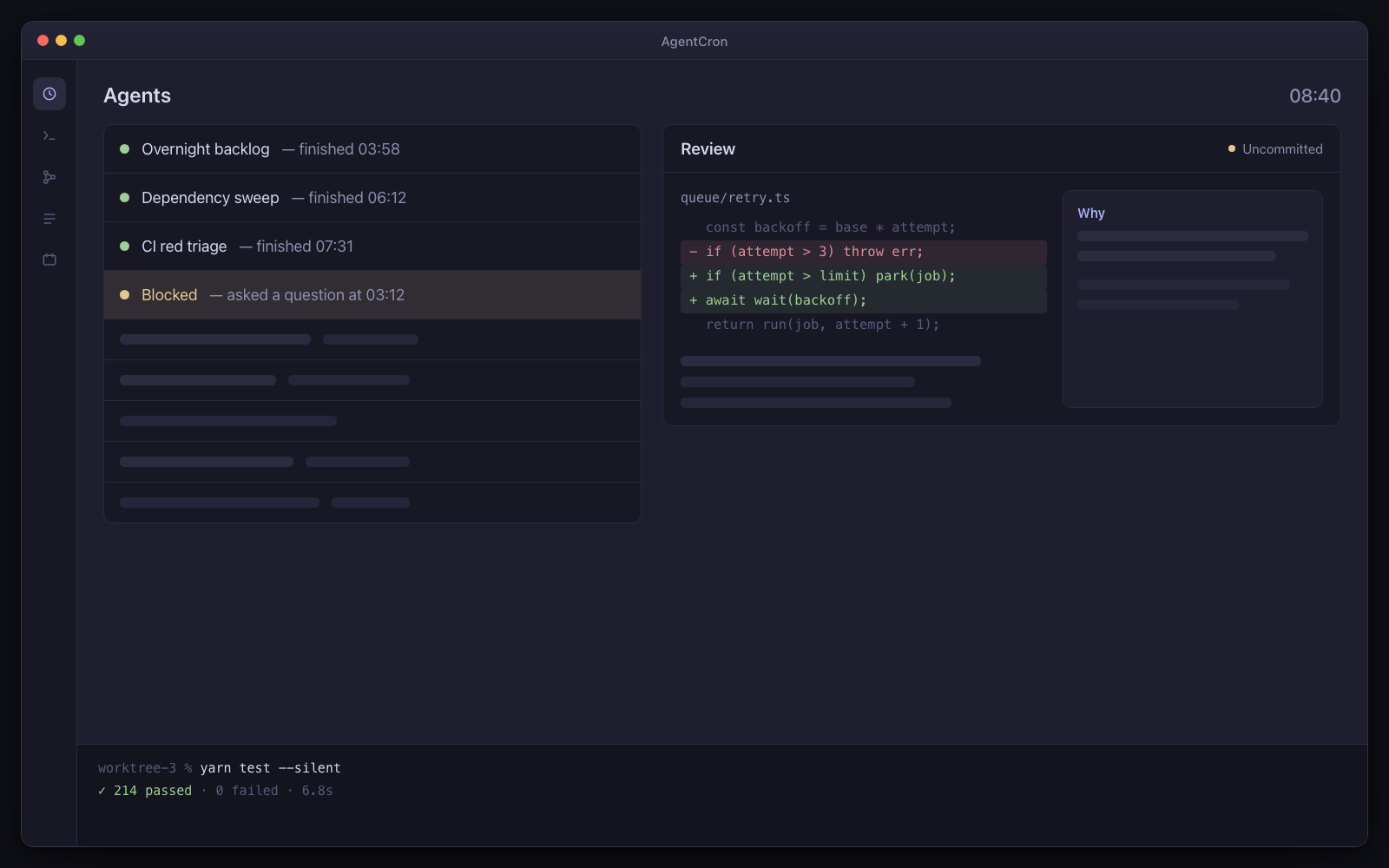
Three finished worktrees with uncommitted diffs, the review screen scrolling with an explanation card beside each hunk, and one agent at the top still blocked on an approval it asked for at 3am.
Illustration 08:40. Three agents finished, one is still waiting on a question it asked at 03:12, and nothing has been committed.

Day one: three agents, already written

  • Overnight backlog

    Every night at 2am

    By morning there is a finished, uncommitted diff in a worktree with an explanation beside every hunk.

  • Dependency sweep

    Mondays at 6am

    Every Monday, patch and minor upgrades applied and tested in a worktree, with the risky majors listed separately and untouched.

  • CI red triage

    Every 2 hours

    A red build on the default branch becomes a queue item naming the failing test, the exact command to reproduce it locally, and — when it is small — the fix itself, uncommitted.

Installed as the developer pack. Every agent arrives switched off, with a “Run once” button — nothing fires on its own.

What has to be true first

  • macOS on Apple Silicon
  • claude (or copilot/agy) installed and authenticated
  • node on PATH
  • At least one git repo you are happy for an agent to branch from

And the limits, in the same breath

  • macOS only. You bring, install and authenticate one of the supported agent CLIs shown above.
  • Schedules fire while your Mac is awake — AgentCron can hold it awake through a window you set (lid open) — and there is no daemon, no wake-from-sleep and no catch-up for a run that was missed.
  • AgentCron grants none of its own commit, push, send or pay paths by default. The launched CLI remains a real networked process, so separately configured CLI tools and project credentials keep their own risk.
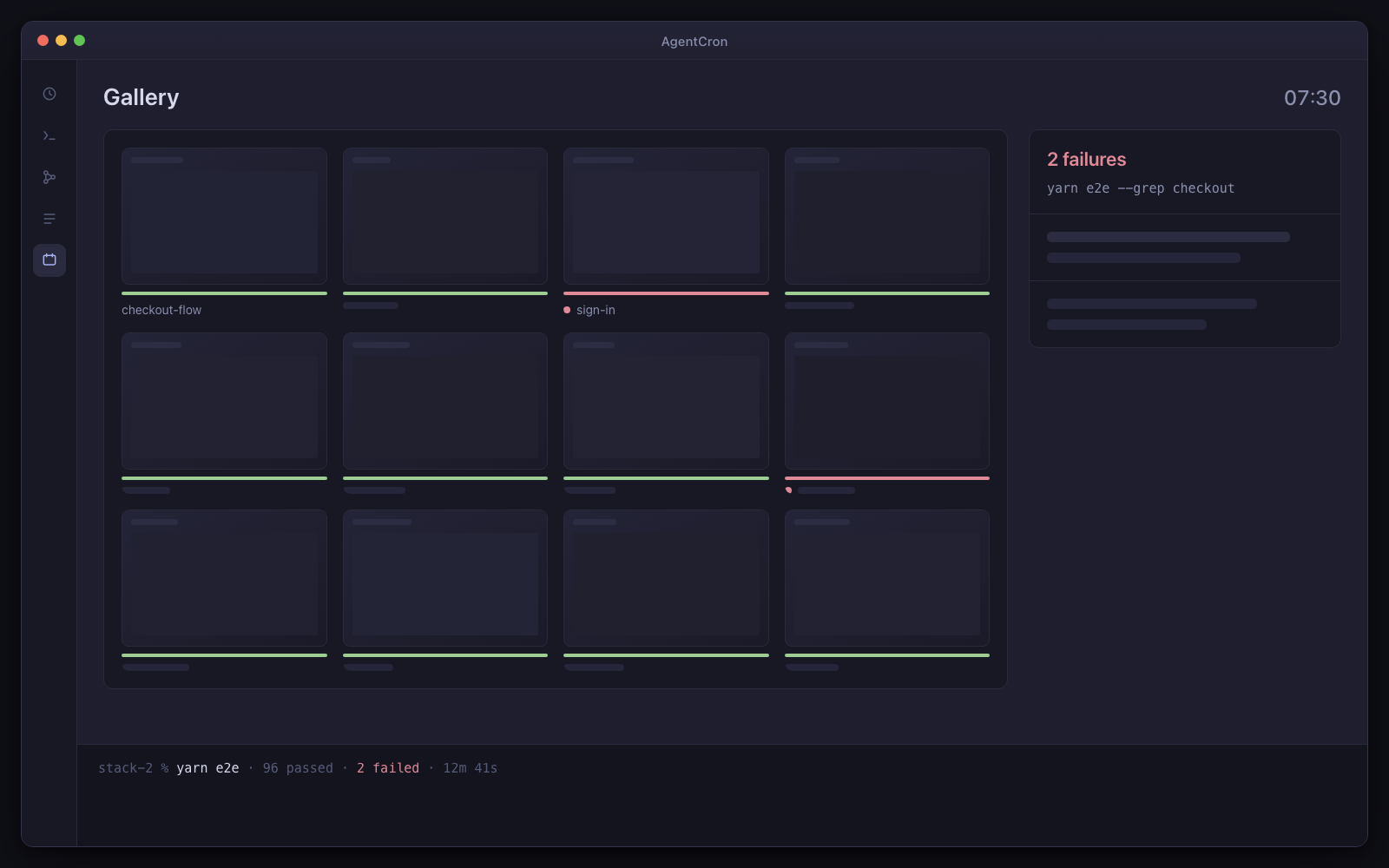
The morning after

You open the laptop. Three agents ran while you were asleep, in three different repos.

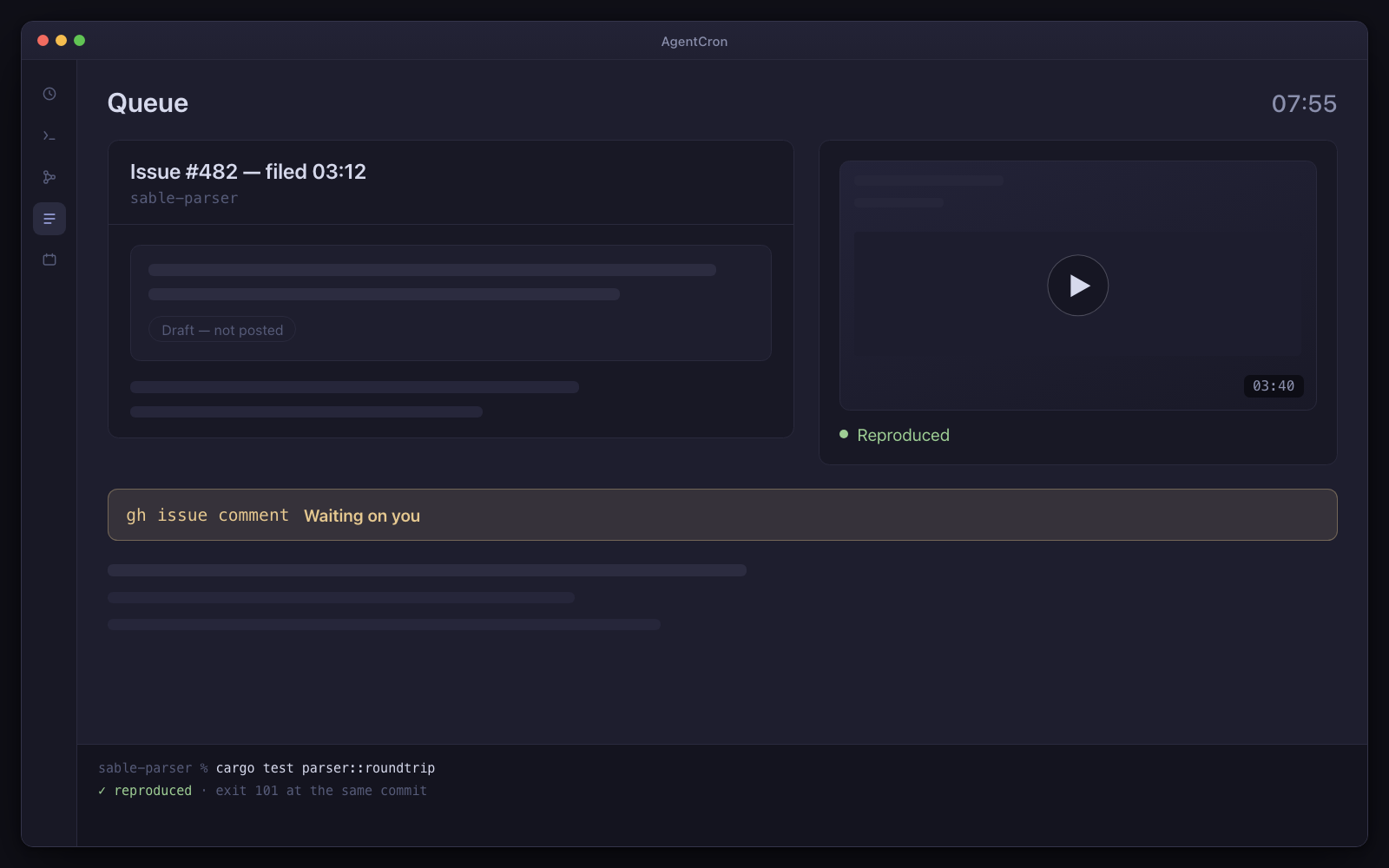
The first one took an item off the queue, worked it in its own worktree, ran the tests, and left the diff uncommitted with a note beside every hunk explaining what changed and what would break. The second one applied the week's patch and minor dependency upgrades, ran the suite, and filed a separate list of the major upgrades it deliberately did not touch. The third one noticed the build on main went red at 01:50, reproduced it locally at the same commit, and filed the exact command to reproduce it along with a nineteen-line fix — which it did not push.

A fourth is still blocked. At 03:12 it hit a design decision it could not make alone, asked with two options, and stopped. It is still stopped. That is the correct behaviour, and it is why the diff you are about to read is worth reading.

What you actually get

Not a feature list — the specific things that turn a fleet of agents from a liability into a working arrangement.

  • Worktrees, so agents stop colliding

    Agents branch and work in their own worktrees rather than your main checkout, so two of them can hold different branches of the same repo at once. Your working copy stays yours; you never come back to a dirty tree you did not make.

    The agent creates the worktree. AgentCron's job starts at the environment inside it.

  • A collision-free environment in each one

    If two agents both run the app to check their work, they both want port 3000 and the same database. Each worktree gets a sticky, collision-checked block of ports, its own database name and its own compose project, exported as variables the agent is told to read rather than assume — then your repo's own setup script runs.

    Only where your project defines that script. AgentCron provisions nothing itself; it cannot know what your stack needs.

  • Teardown that is actually accounted for

    Ports are tracked in a ledger with leak accounting, servers an agent leaves running are registered with their port and pid so they are visible and stoppable, and the storage view shows exactly where the disk went. Cleanup previews what it would free before deleting anything, and removing a checkout stays your decision rather than something an agent can do by accident.

    Worth doing in week one. A hundred worktrees is a real number, not a hypothetical.

  • The commands it ran, with their exit codes

    Command, working directory, exit status, duration, output. Captured for Claude Code through the CLI's own hook API without the agent cooperating — including the failed ones, which is the half that matters. Agents pad their narration with pasted terminal output to prove work happened; you stop having to take their word for it.

    For Copilot CLI, agy and plain shell jobs the agent routes what matters through a wrapper instead, because those expose no hook API. Coverage is measured per CLI and shown, so a thin log says so rather than reading as a quiet morning.

  • One surface over three different CLIs

    Claude Code, GitHub Copilot CLI and agy (Antigravity), plus plain shell jobs for anything that is a script rather than an agent. Each is launched with the right flags for an unattended run — they are genuinely different, down to how you resume a conversation — and every one of them lands in the same schedule, the same command log, the same queue and the same review screen.

    The choice is per agent, so one repo can be on Copilot because that is what the client pays for and the next one on Claude Code, without you thinking about it again.

  • An explanation beside every hunk

    The bottleneck moves from watching agents work to reading what they wrote. So each changed hunk carries the agent's own note: the mechanism that changed, the alternative it rejected, the concept in plain English, and one concrete thing that would break if it is wrong. A hunk with no explanation renders as a visible gap.

    Under the default review policy, the commit at the end of that screen is yours. An owner can separately grant one agent commit-and-PR permission.

  • Chains, so one agent's output is another's input

    A finished run can fire the next one. A planner that turns a spec into queue items, then a coder that takes the top item — with a cycle guard, and skipping any link you have switched off.

  • A blocking question instead of a guess

    An agent that hits an ambiguity at 3am can ask, with options, and stop. It resumes when you answer — in the app, or from your phone at a bus stop. Waiting eight hours is cheaper than a diff you throw away.

  • The terminal is right there

    Every run is a live session you can watch, type into, pause, resume or kill. Clicking a running agent puts you in its terminal. Nothing is hidden behind a log-tailing view that shows you a subset.

  • A cost view that admits what it could not price

    Per agent, per day — and beside the number, how many of your runs it was actually able to price. A run whose CLI reported no usage back cannot be priced, so the coverage line is the honest half of that view.

    Worth setting expectations: on the machine this was built on, that coverage has been low. The view exists and reports truthfully; whether it produces a useful number depends on what your CLI reports.

  • The MCP servers you already run

    Connect them over HTTP or stdio with your own headers and tokens, and agents can call them through a bridge without you configuring anything per agent. AgentCron also publishes its own tools back the other way, behind a permission ceiling that fails closed.

    Nothing is bundled and nothing is endorsed. They are your servers.

The thing you are actually thinking

I already have a bash script and tmux. What is the difference, honestly?

On scheduling, nothing — cron beats this. One cron expression, no retries, no backoff, no per-job timeout.

The difference is the operating surface around the run: retained output and capture coverage, questions that can wait, an approval command that fails closed when used, and worktree environments where configured.

If you are running one agent in one repo while watching it, none of that is worth installing an app for. The point where it flips is specific and you will recognise it: the week you babysat four agent sessions and shipped nothing of your own.

My CLI can schedule its own runs now. What exactly am I paying for?

Use the built-in scheduler — genuinely — if what you have is one CLI, one repo, and a task that needs a clock. It is free, it is inside the tool you already run, and for that job an extra app is overhead.

What it is not is the layer this app actually sells:

  • One queue, one command log, one review screen across three CLIs and plain shell jobs — the Copilot client repo and the Claude side project stop being separate systems with separate habits.
  • An approval gate that fails closed. The irreversible step blocks the agent's own process until you answer, and a timeout, a refusal and an unreachable app all mean no. A scheduler that runs unattended without that is asking for trust it has no mechanism to earn.
  • Receipts. Command, exit code, duration, output — kept per project, including the failures, so "what did it actually do last night" has an answer that is not the agent's own summary.
  • Blocking questions, answerable from your phone, so 3am ambiguity becomes a held run instead of a guess baked into a diff.
  • Per-project identities and environments — six repos' agents with different credentials, none of them fighting over port 3000.

If one built-in scheduler on one repo covers your life, keep the $89. The week it stops covering it, you will know exactly which of the five you were missing.

Will it commit or open a pull request when it thinks it is done?

Review-gate jobs are instructed to leave work uncommitted and normally run inside a macOS boundary that denies repository-history and remote credential paths. The run records whether that boundary was enforced.

It is a targeted owner boundary, not a general sandbox: the owner can switch it off, and credentials deliberately placed inside the project can widen what the process can do. A separate commit-and-PR policy is an explicit per-agent owner grant.

What does an overnight run actually cost me?

Your CLI's normal token cost, plus the block of instructions appended to every prompt — roughly a couple of thousand tokens a run. Two of the blocks are conditional, so a run in a folder without a git repo does not pay for the diff-explanation rules.

There is a cost view per agent per day, but be careful how much you lean on it, and the reason is worth knowing: it can only price a run whose CLI reported usage back. Claude Code reports an exact dollar figure from the CLI itself. agy reports exact token counts, which price only for the Claude models it can serve. Copilot's runs are recorded but never priced: its CLI reports back measured output tokens, the model, and its own credits meter — AgentCron keeps all three on the run — but no dollar figure and no published rate to price its models with, so those runs are counted as unpriced rather than guessed at. Whatever Copilot's plan meters, its own dashboard stays the record of it.

The view says how many of your runs it could price rather than showing a confident total. Treat your CLI's own usage dashboard as the reliable number — and remember the overnight runs draw from the same plan limits as your daytime ones. Start with one agent, not five.

I use Copilot, not Claude. Does any of this work?

Yes — Claude Code, GitHub Copilot CLI and agy are all first-class, selectable per agent, and each is launched with the flags that CLI actually needs for an unattended run.

Two differences you should know before you rely on them rather than after: command capture is automatic only for Claude Code, because it is the only one of the three that exposes a hook API — with the others, only what the agent routes through the wrapper is recorded. And resuming a conversation works for Claude Code and agy; Copilot's session id is recorded from each run, but AgentCron does not resume Copilot sessions yet.

Everything else — the schedule, the worktree, the approval gate, the review screen, the queue, the explanation cards — is the app's rather than the CLI's, so it is identical whichever one you pick.

Does it need my Mac awake?

Yes. The scheduler runs inside the app; a sleeping Mac fires nothing and there is no catch-up for a run that was missed. AgentCron can hold the Mac awake through a window you set in Settings — a caffeinate power assertion between the hours you name — with the honest limit that the lid must stay open: closing it still sleeps the Mac. In practice this means a 2am agent works if your Mac does not sleep, and quietly does nothing if it does. It is the limitation most likely to annoy you, which is why it is on this page rather than in a footnote.

Not released yet. It will need macOS 12.0 or later on Apple Silicon — and the download page says exactly what is still missing.